AnyToSpeech App for iPhone and Android: Text to Speech, PDF Reader and AI Voices

Turn anything into speech, right from your phone

Listen to text, PDFs and photos in natural AI voices. Create podcasts, translate menus and signs, and speak in your own cloned voice.

Free to download on iPhone and Android.

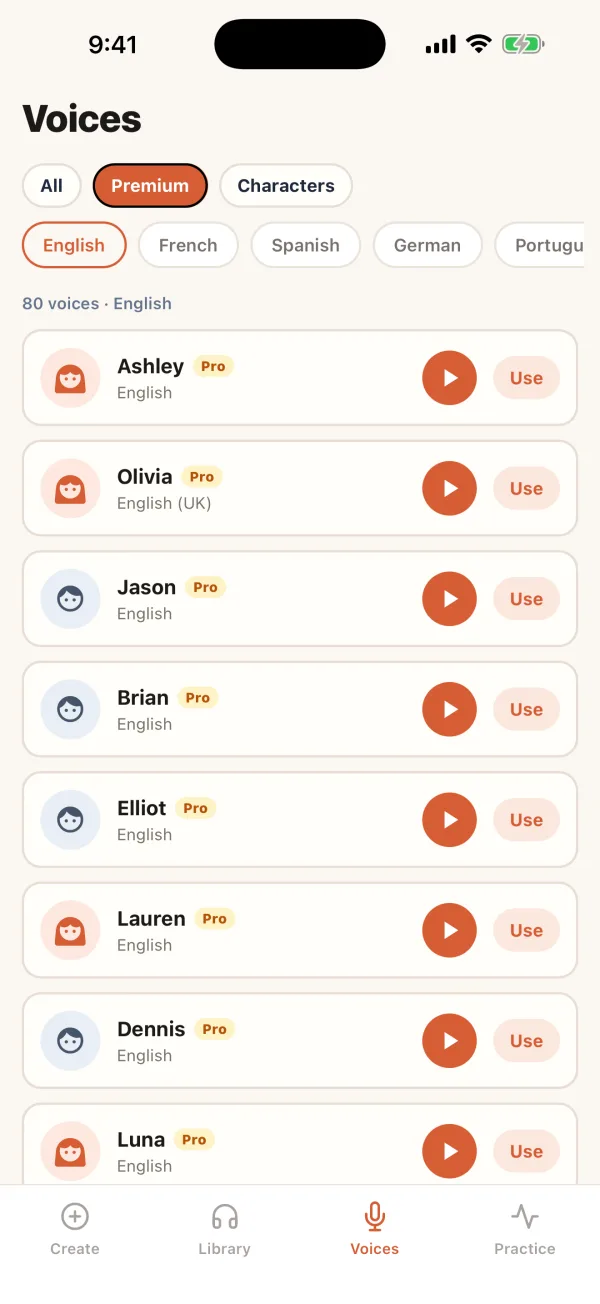
AnyToSpeech app premium voice list
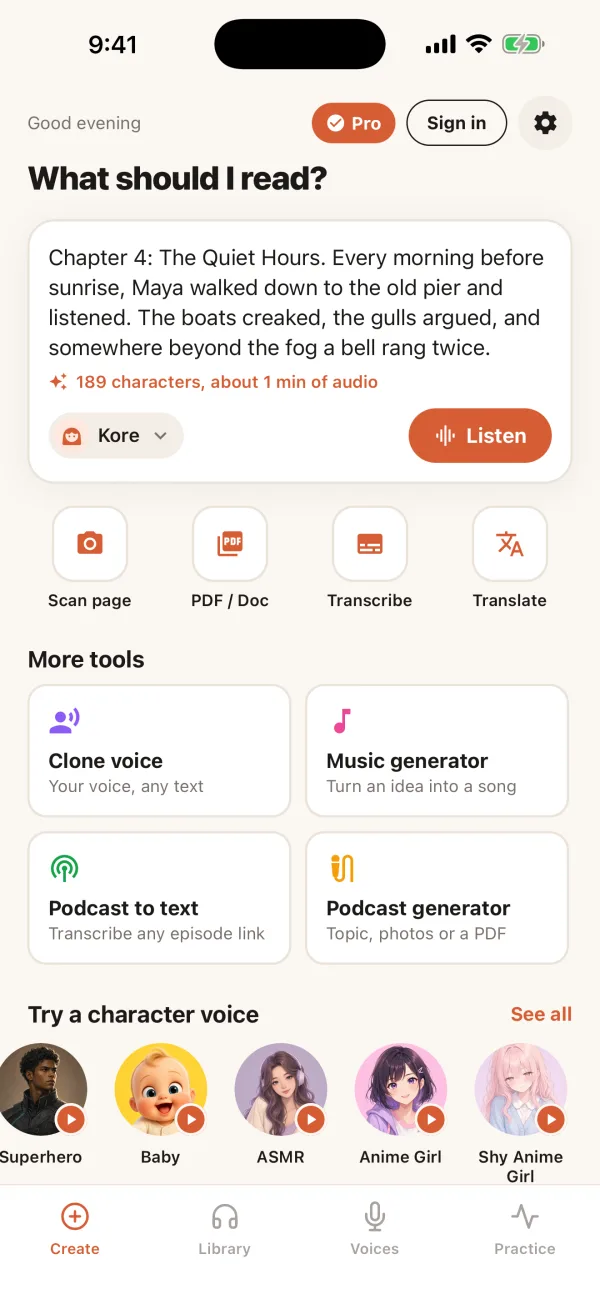
AnyToSpeech app Create screen with text ready to listen and quick tools
1,100+natural voices
70+languages and accents
85,000+people use AnyToSpeech
320,000+audio files created

The features people upgrade for

Ranked by what paying members use most, starting with the one they use every day.

01 Text to Speech Pro

Hear any text in a natural voice

Paste an article, an essay or your notes and tap Listen. It is the feature Pro members use more than any other.

  • 1,100+ voices, with the most popular ranked first
  • Premium voices and longer texts with Pro
  • Save as audio and listen later
Choosing a premium voice in the AnyToSpeech app
02 Podcast Generator Pro

Two AI hosts talk through any topic

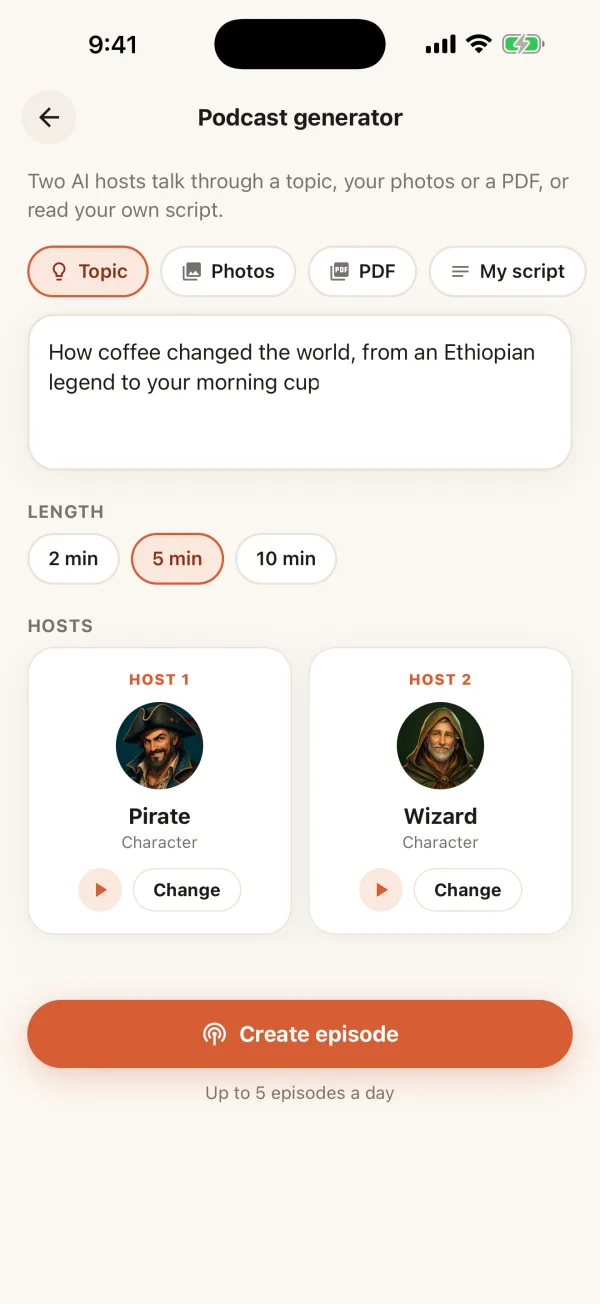
Type a topic, add photos or a PDF, or paste your own script. Pick two hosts and a length, and get an episode ready to play.

  • Start from a topic, photos, a PDF or your own script
  • 2, 5 or 10 minute episodes
  • Natural hosts or characters like a pirate and a wizard
Setting up a podcast episode with two AI hosts
03 Scan to Speech Free to try

Snap a page. Hear it read.

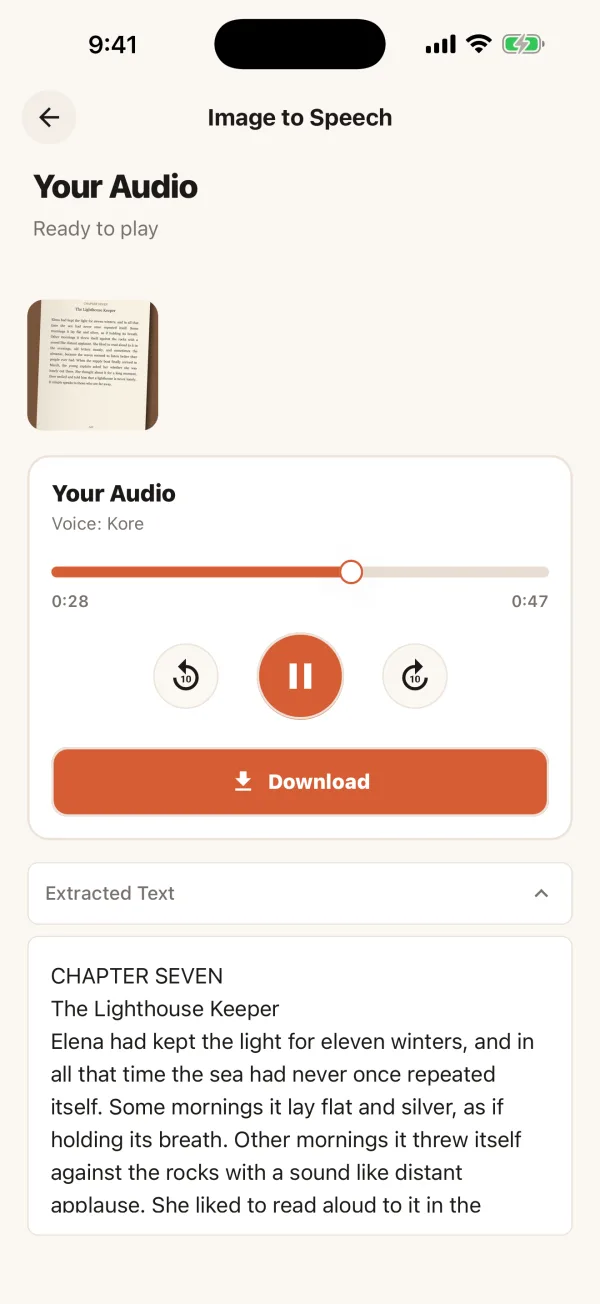
Take a photo of a book page, notes, a worksheet or a letter. The text is picked up and read aloud in seconds.

  • Use your camera or your photo library
  • See and copy the extracted text
  • Great for textbooks, mail and handouts
A scanned book page being read aloud
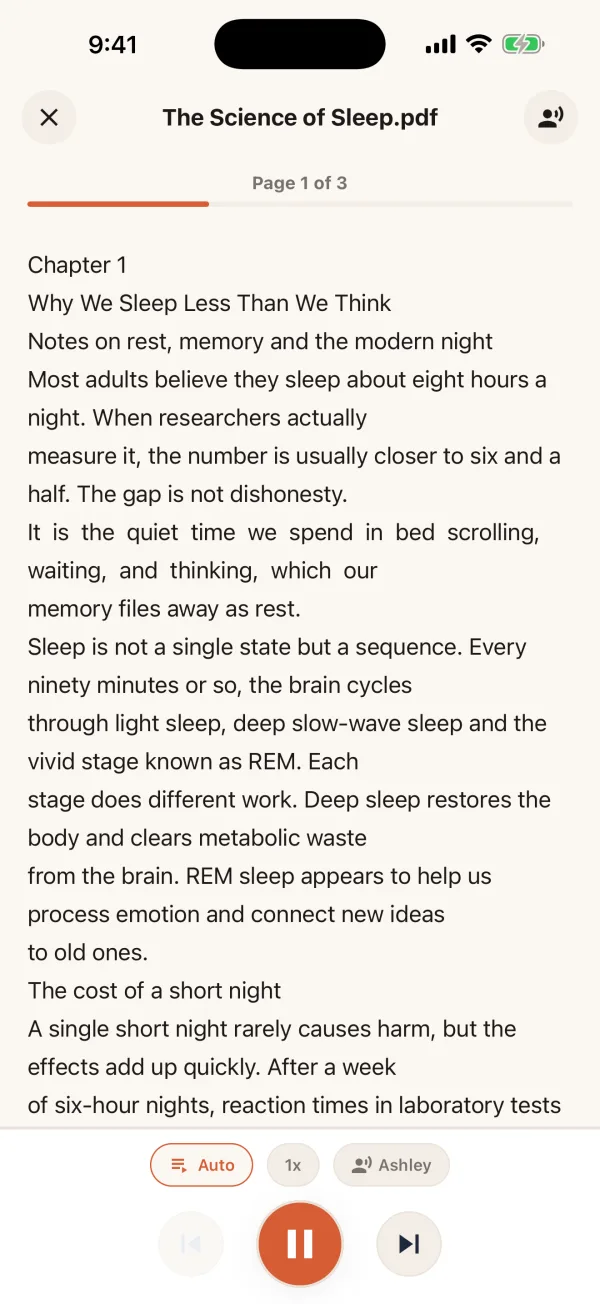
04 PDF Reader Pro

Turn any PDF into an audiobook

Open a PDF and it reads page by page while you follow along. It keeps playing in the background while you walk, drive or cook.

  • Page-by-page playback that moves on automatically
  • Change the speed and voice at any time
  • PDFs of any length with Pro
A PDF being read aloud page by page
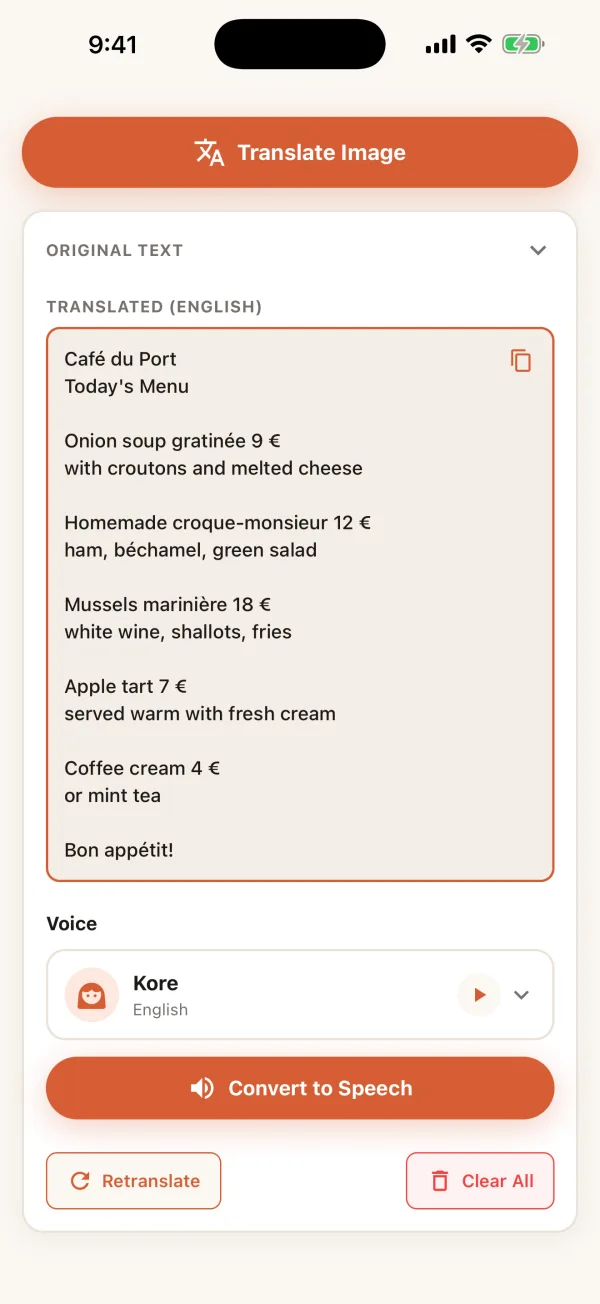
05 Translate Free to try

Point, translate and listen

Photograph a menu, sign or document and hear it in your language. Recordings, YouTube videos and podcasts can be transcribed and translated too.

  • Translate photos, audio and video
  • Hear the translation read aloud
  • Copy the text in one tap
A restaurant menu translated into English
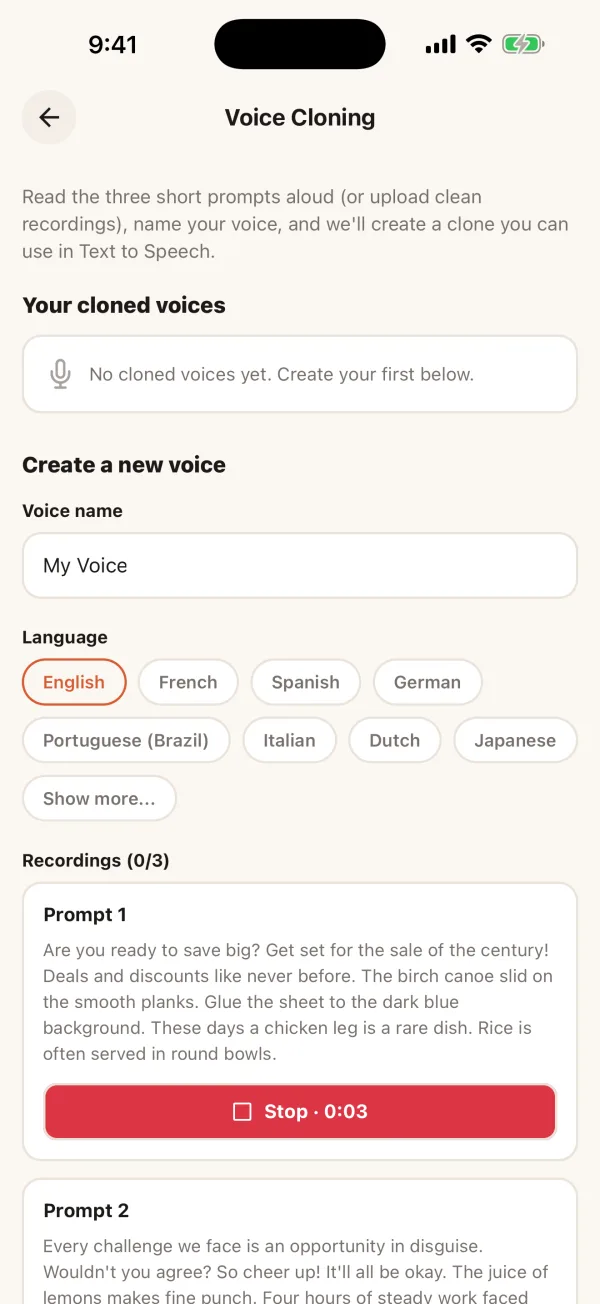
06 Voice Cloning Pro

Speak any text in your own voice

Read three short prompts, name your voice, and use it anywhere in Text to Speech. It is one of the most popular tools in the app.

  • Made from three short recordings
  • English, French, Spanish, German and many more languages
  • Ideal for voiceovers, lessons and messages
Recording prompts to clone your voice

Also in the app

Extras that make AnyToSpeech the only voice app you need.

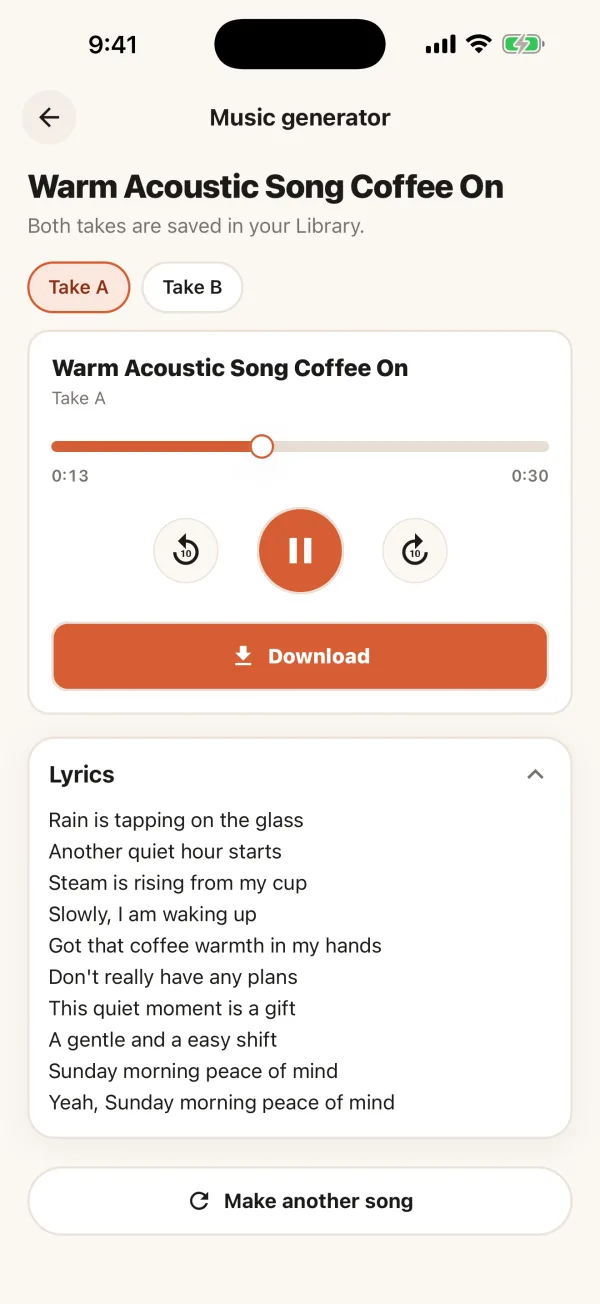
Music Generator

Describe a song in one sentence and get lyrics, vocals and a beat. Your first song is free.

A generated song with lyrics

Practice

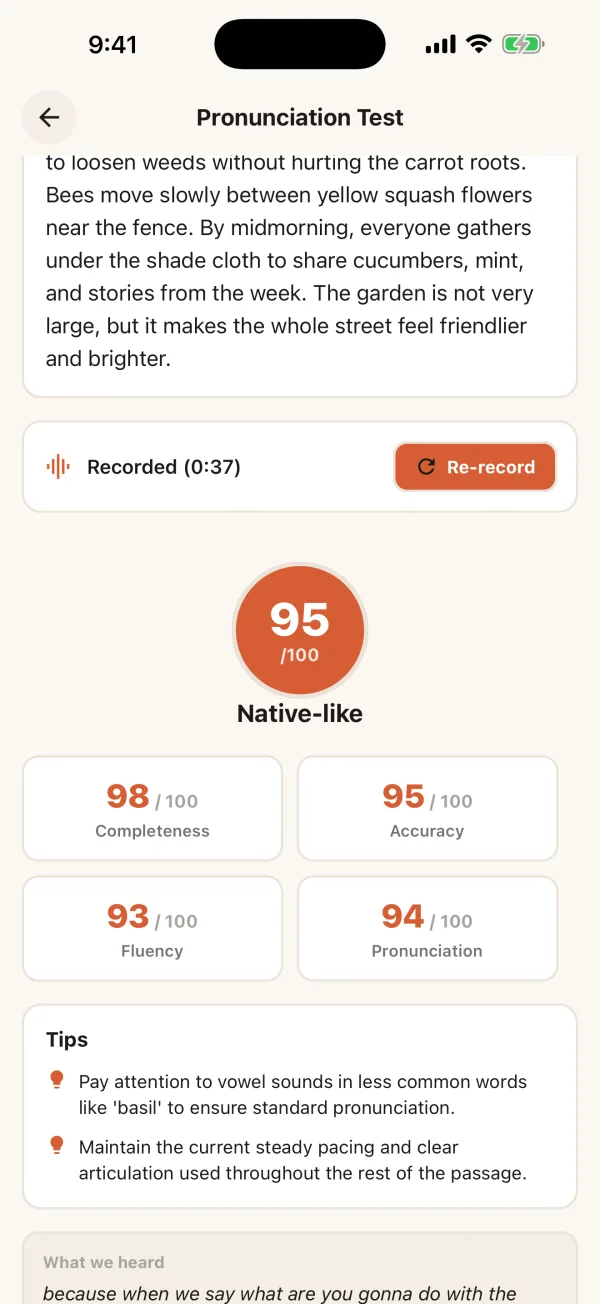
Read a passage and get an instant pronunciation score with tips. Get scored on your accent and your singing too.

A pronunciation score with tips

Transcribe

Turn recordings, YouTube videos and podcast episodes into text.

Character voices

Pirates, wizards, robots, Santa and dozens more for stories and fun.

Library

Everything you create is saved, ready to play, download or share.

In your language

The app is available in 11 languages, and your anytospeech.com account works in it.

Start free. Upgrade when you need more.

One account for the app and the website.

Free

Free to download and use, with daily limits.

  • Text to Speech, Scan and Translate
  • Your first song free
  • Pronunciation, accent and singing scores
  • A Library for everything you create

Pro

Monthly or yearly. Cancel anytime.

  • Longer texts and PDFs of any length
  • Every premium voice
  • Voice cloning
  • Podcast generator
  • Works in the app and on anytospeech.com
Compare plans

Made for

Students

Review notes and textbooks by ear.

Commuters

Catch up on articles and documents on the go.

Easier reading

Listen instead of reading with dyslexia, low vision or reading fatigue.

Language learners

Practise listening and pronunciation.

Creators

Make voiceovers, podcasts and songs.

Questions

Is the AnyToSpeech app free?

Yes. The app is free to download and use, with daily limits. Pro unlocks longer texts, PDFs of any length, every premium voice, voice cloning and the podcast generator.

Can I use my anytospeech.com plan in the app?

Yes. Sign in with the same account and your Pro plan works in the app. App Store subscriptions carry over to the website too.

Which languages and voices are available?

More than 1,100 voices across 70+ languages and accents, plus character voices. The app itself is available in 11 languages.

Can I keep listening with the screen off?

Yes. PDFs keep playing in the background, and everything you create is saved in your Library to play, download or share later.

Does it work on iPhone and Android?

Yes. AnyToSpeech is on the App Store for iPhone and on Google Play for Android phones.

Get AnyToSpeech on your phone

Free on iPhone and Android. Your website plan works in the app too.

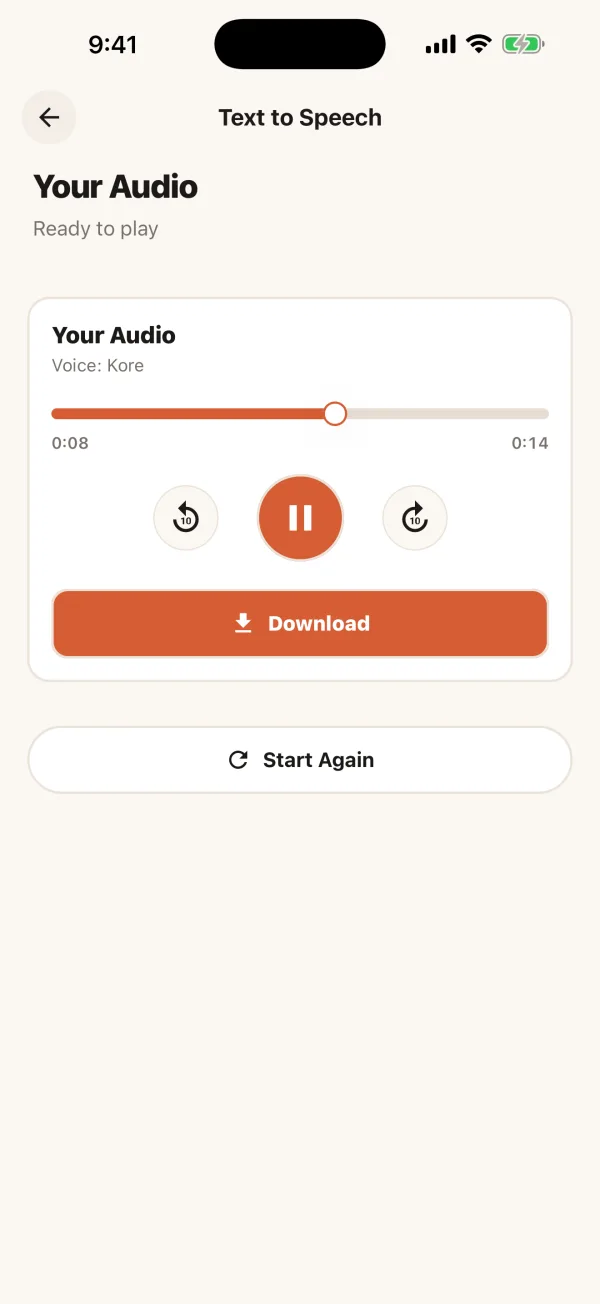
AnyToSpeech app playing generated audio